
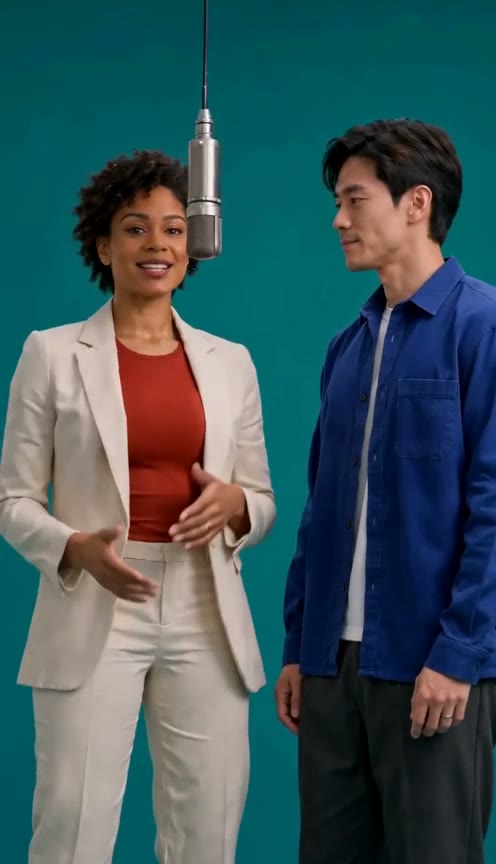
58th Floor AI prepares a studio duet from two separate portraits. Photo 1 casts the left performer and opens the hook. Photo 2 casts the right performer and takes the next verse. The two identities should remain distinct as the camera changes framing.
1. Cast each side
Choose one clear adult portrait for each slot. JPEG, PNG, and WebP are supported, up to 8.5 MB per photo. Full-length photos can show more of the clothes; face clarity matters most for close-ups.
2. Check permission and quality
Use your own photos or get permission from both people. Choose 480p, 720p, or 1080p and check the displayed credit cost. Video tasks require sufficient credits; credit purchases are temporarily unavailable.
The interface lists 30 credits for a 480p task, 68 for 720p, and 120 for 1080p. Compare that cost with the balance shown on each one-time pack before deciding whether it suits your workflow. The price page describes the pack terms, but its purchase buttons are disabled while checkout is unavailable.
3. Prepare the photos
Selecting a file creates an in-browser preview after validating its format, size, and image decoding. The preview stays in your browser until you submit a task. Submitted photos are sent to the generation service. Email-code and Google account sign-in are available through Clerk.
4. Review the result
Inspect the opening, handoff, close-ups, wide shot, and ending. Look for identity swaps, changed outfits, hands, and timing. A completed render is not a guarantee of exact likeness or lip sync.
Review the moments where the camera changes from a close-up to a wider view, and where the verse moves from one performer to the other. Compare the result with the two source portraits, not only with the public sample. Generated motion can alter small details such as hair, clothing, fingers, or mouth movement.
5. Download and share carefully
Completed results are associated with your account and available in the private video library. Public sample clips are separate from your work.
The three credit packs are listed on the pricing page, but purchases are temporarily unavailable. Do not expect a checkout or credit balance until buying credits is enabled.
Common questions
Are public sample clips my result?
No. The sample selector plays public example footage. It does not use the portraits selected in the generator and does not submit a task.
When are portraits sent for processing?
Choosing a file creates a local preview. The photos are sent to the generation service only when you submit a video task. Read the privacy notice before submitting.
Where do completed videos appear?
Completed work is associated with the signed-in account and appears in the private video library. Public examples remain separate from account videos.
Does a selected quality guarantee exact likeness?
No. Quality labels and credit costs describe the choices shown in the interface. Review the finished video for identity, wardrobe, handoff, and timing changes.
Use cleared audio when sharing and label synthetic media honestly. Read the privacy notice and terms of service before submitting photos.