
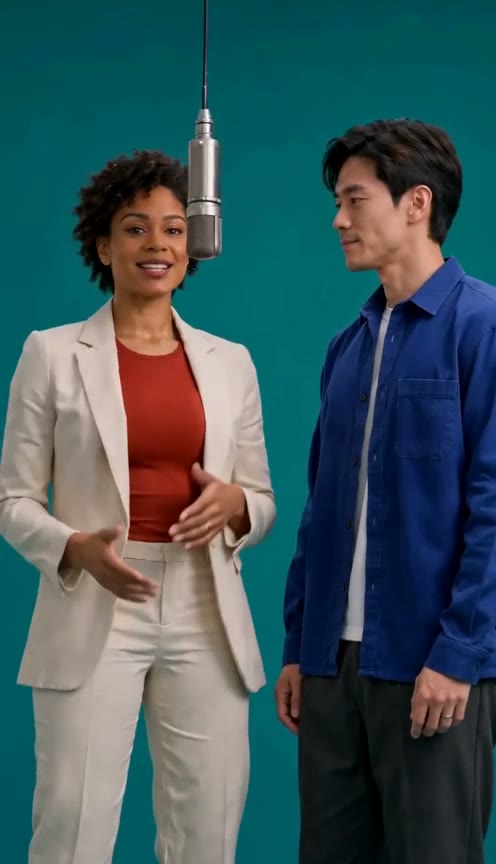
Two clear references help the duet keep its cast distinct. Each photo supplies one performer’s face, hair, clothes, and body proportions.
Give each photo one identity
Use one adult per image. Group photos can make the intended subject less clear. Avoid sunglasses, masks, strong filters, and hair covering the eyes. A sharp, evenly lit face is more useful than an unusually large file.
Keep the subject's eyes and facial outline visible, and avoid a crop that cuts through the chin or forehead. A neutral expression is often easier to compare across close-ups than a face partly covered by a hand or accessory. If the two people have similar hair or clothes, choose portraits with other clear differences.
Show the clothes you want
Full-length images show trousers, shoes, and body proportions for wider shots. If you supply only a headshot, unseen clothing has to be inferred. Contrasting outfits can make role mix-ups easier to spot.
Use a framing that includes the details you care about. A waist-up portrait can show a jacket or shirt, while a full-length image gives more information about shoes and trousers. The video may still change or reinterpret details; a source photo is guidance, not a guarantee that every frame will match it exactly.
Prefer clear light and simple backgrounds
Even light helps keep facial features visible. Avoid strong backlighting, deep shadows across the eyes, motion blur, and heavy color filters. A plain background makes it easier to see the outline of the person, but the two portraits do not have to be shot in the same room.
Keep the roles in order
Photo 1 opens on the left; photo 2 takes the next verse. Check both labels before continuing. Each slot is separate and a missing photo must be added before a task can be submitted.
Review the transitions
Look closely when the camera changes framing and the verse changes hands. Faces should not merge; outfits and hair should not revert. Hands, feet, and the hanging mic should remain coherent. Prompt instructions cannot guarantee the effect.
Before choosing a final pair, compare the portraits side by side at the size they will appear in the preview. Check that each face belongs to the person intended for that role, and that the left and right labels match your plan. When reviewing a result, pause at the handoff and inspect the first and last frames as well as the close-ups.
Use portraits you can include
Get permission from both adults. Do not use a generated performance to claim a real endorsement or event. Photo previews stay in your browser until you submit a task; submitted photos go to the generation service.
Use photos you have permission to process and share. Avoid images containing private documents, unrelated people, or details you would not want sent to the service. If a photo is unclear or the wrong person is selected, remove it and choose another before submitting.
Accepted: JPEG, PNG, or WebP. Maximum: 8.5 MB per file. The preview verifies that the image can be decoded before showing it.
Common questions
Do both portraits need matching backgrounds?
No. The portraits serve different performer roles. Clear faces and useful outfit detail matter more than matching locations or lighting.
Will a full-length image guarantee a full-body result?
No. It supplies more clothing and body information, but generated framing and movement can vary. Review the result before sharing it.
Does selecting a photo upload it?
No. The site shows an in-browser preview after checking file type, size, and decoding. The image is sent for processing only after you submit a task.